⚠️ Secrets AI is an adult content platform for users aged 18+. All steps in this guide are current as of May 2026.
How to Use Secrets AI: Complete Beginner's Guide (2026)
Getting started on Secrets AI takes under 5 minutes — but the users who have the best first experience are the ones who spend 3 of those minutes on their character setup rather than rushing directly to chat. The platform's AI is context-driven: it performs better when it has a detailed personality profile and relationship context to draw from. Vague setup equals generic responses. Specific setup equals the kind of conversation that makes people subscribe.
This guide covers every step from signup to your first real conversation, with specific advice on how to spend your 200 free starting Moments wisely.
Step 1 — Create Your Account
No download required. Open any browser on any device and navigate to secrets.ai.
- Click Sign Up
- Enter an email address and create a password
- That's it — no real name, no phone number, no date of birth required during signup
- Your account is active immediately with 200 free Moments pre-loaded
Account creation takes under 60 seconds. Anonymous accounts are fully supported: if you want to keep your account unlinked from your primary identity, use an email address you created for this purpose. There is no social login (no Google, Apple, or Facebook sign-in option), which actually protects your privacy by preventing account linkage between platforms.
After signing up, you have immediate access to the full character library — all ~94 pre-built characters are visible before you spend anything or subscribe.
Step 2 — Choose Your First Character

The character selection screen is where your experience is actually defined. You have two paths:
Option A: Browse pre-built characters
The library contains approximately 94 hyper-realistic female companions, plus some anime-style characters. Each comes with a personality description and a set of pre-built fantasy scenarios (100+ total). You can read the character descriptions and choose based on personality, aesthetic, and the available scenario types.
Option B: Create a custom character
The first custom character is free — no Moments required. The customization options:
- Physical appearance: Ethnicity (9 options), skin tone, eye color, hairstyle, body type (6 options)
- Voice: Choose from 6 distinct voice options (affects voice call feature)
- Personality: Sliders for confidence, playfulness, dominance, and intelligence
- Background: Choose from 5 profession presets and 5 personality trait presets
- Details: Hobbies and a free-text field for anything else you want the AI to incorporate
The free-text field is the most underused feature by new users. This is where you can specify relationship dynamics, backstory, particular quirks, or any context that makes the companion feel specific rather than generic. A well-filled free-text field produces noticeably better responses from the first message.
When you create a custom character, 4 images are auto-generated at no Moments cost — an immediate visual reference.
Step 3 — Start Your First Conversation

When you enter a chat, the AI presents conversation starters — a mix of casual openers and suggestive prompts. These are there to help you begin; you are not obligated to use them.
Getting the most from your first conversation:
- Be specific in your responses — the AI adapts to your communication style and level of detail
- Set the tone early — whether you want casual conversation, emotional depth, or explicit content, establish it in the first few exchanges
- The AI will ask follow-up questions — answer them in detail to build a richer context for the session
- Avoid one-word replies — they produce one-note responses from the AI
Free tier limits to keep in mind:
- 20 messages per day maximum (resets every 24 hours)
- 500-character maximum per message
- Memory covers only the last 2–3 exchanges (no cross-session continuity)
On the free tier, your 200 Moments cost 1–2 per text message, so basic conversation does not deplete Moments rapidly. Save your starting Moments for testing the image generation feature — that is where the visual quality is most worth experiencing.
Step 4 — Explore Media Features
Generating Images
Image generation is available to free users with their 200 starting Moments. Inside any conversation:
- Tap or click the image generation option in the chat interface
- Each image costs 25–50 Moments
- Four presets are available to guide the output style
- Two model tiers exist — the standard model on all paid tiers, advanced/premium on Premium and Ultimate
At 200 starting Moments, you can generate approximately 4–8 images before the free grant runs out. Images generate quickly and are delivered directly in the chat thread.
Creating Videos
Video generation requires a Lite plan or higher — it is not accessible on the free tier. The process:
- Select an existing companion image (one you have previously generated)
- Add a text prompt describing the desired movement, expression, or action
- Wait approximately 2 minutes for generation to complete
- The video clip appears in your conversation thread
Short 3-second clips (available from Lite) cost approximately 50 Moments. Longer, full-quality clips cost up to 600 Moments each. See the video generator guide for a full breakdown of quality and cost by tier.
Trying Voice Calls
Voice calls require a Moments balance and are available on all tiers. Cost: 100 Moments per minute. Six voice options are available — the same voices selectable during character creation. Voice quality is rated 4.3/5 by independent reviewers. On 200 free Moments, you get 2 minutes of voice time before the free grant runs out — enough to evaluate the quality but not for a full conversation.
Step 5 — Manage Your Moments
Moments are the real cost variable on Secrets AI. Understanding them prevents surprises.
Cost reference card:
| Action | Moments Cost |
|---|---|
| Text message | 1–2 |
| Image generation | 25–50 |
| Short video (3 seconds) | ~50 |
| Full video clip | ~600 |
| Voice call | 100 per minute |
| Manual memory save | 10 |
| Additional custom character | 1,000–1,500 |
Practical advice for new users:
- Check your Moments balance in account settings before any media session
- On the free tier, do not spend all 200 Moments on voice — you get 2 minutes and then no media access at all
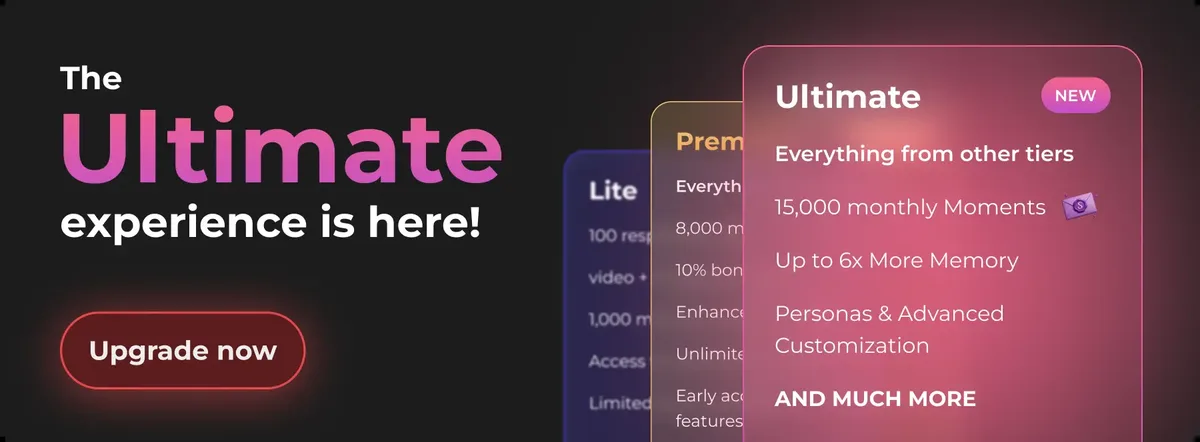
- The Plus plan ($9.99/month) gives 3,000 Moments monthly — a genuinely workable amount for mixed text, image, and occasional video use
- Video is the fastest way to exhaust Moments — budget accordingly if you plan to use it regularly
- Bulk top-up bundles start at $5.99 for 1,980 Moments and scale up to $249.99 for 118,800 Moments
The complete pricing guide covers which tier makes sense for different usage intensities.
Step 6 — Enable Privacy Features
Two privacy settings are worth configuring before you go deep into conversations:
Private Mode: Found in the conversation settings. Enabling it applies end-to-end encryption to that specific conversation and opts the conversation out of AI training data. Must be enabled at the start of each conversation — it does not apply retroactively. For sensitive conversations, this is the setting that provides the most protection.
Billing note: If you upgrade to a paid plan, all charges appear on your statement as "Sun Clinical Laboratories" — no reference to AI, adult content, or the platform name. Cryptocurrency payments (minimum $20) are available for complete payment anonymity.
Tips for New Users
A checklist of what experienced users recommend for the first week:
- Start with the free tier to confirm you like the platform's conversation quality before subscribing
- Do not spend your starting 200 Moments entirely on voice — try images first to see the visual quality
- Create a detailed custom character rather than using a pre-built one; the free-character option makes this zero-cost
- Fill in the free-text details field during character creation — it matters more than it looks
- Set personality traits with intention — high playfulness + high confidence produces a different conversation tone than high intelligence + low dominance
- Add secrets.ai to your phone's home screen for an app-like experience (see the mobile access guide for steps)
- Plan to upgrade to Plus ($9.99/month) if you want any ongoing relationship continuity — free memory lasts only 2–3 exchanges
- The AI performs noticeably better with detailed input; invest in a longer response and the next reply will reflect it
Common Issues and Solutions
Messages not sending or hitting a limit
You have likely reached the 20-message daily cap on the free tier. This resets every 24 hours. Upgrading to Lite ($5.99/month) raises the cap to 100 messages/day; Plus and above remove it entirely.
The AI seems to have forgotten previous conversations
This is the free tier's memory limitation in action. The free plan retains only the last 2–3 exchanges — it cannot recall what you discussed in a previous session. Upgrading to Plus ($9.99/month) extends memory to approximately 30 days.
Slow response times
Peak traffic periods slow server response. Try during off-peak hours. This is not a tier-specific issue.
Cannot generate video
Video generation requires a Lite plan or higher. The free tier does not include video access regardless of Moments balance. Upgrade to Lite ($5.99/month) to unlock 3-second clips.
Forgot password
Use the password reset link on the login page at secrets.ai. A reset link is sent to your registered email address.
FAQ
Go to secrets.ai in any browser, click Sign Up, and enter an email and password. No download is required. Your account is ready immediately with 200 free Moments. Browse the character library, select or create a companion, and begin a conversation. The whole process takes under 2 minutes. For the best first experience, spend time on your character's personality settings before opening the chat — the AI performs significantly better with a detailed profile.
No. Secrets AI is a web-based platform that works entirely through your browser. There is no app to download, no software to install, and no plugin required. It works on desktop, laptop, tablet, and smartphone. For a more app-like mobile experience, you can add secrets.ai to your phone's home screen using your browser's "Add to Home Screen" option, which creates a full-screen launch icon.
The free tier allows 20 messages per day with a 500-character maximum per message. The daily limit resets every 24 hours. You also receive 200 starting Moments — a one-time credit, not a monthly grant. Each text message costs 1–2 Moments, so your Moments will last for approximately 100–200 messages before they run out, but the 20-messages-per-day cap will hit before your Moments are exhausted in normal use.
Yes. The platform is mobile-responsive and works well in Chrome (Android) and Safari (iOS). There is no native app in the App Store or Google Play — it is browser-only. For an app-like experience on your phone, add secrets.ai to your home screen: in Safari (iPhone), use the Share button and select "Add to Home Screen"; in Chrome (Android), use the three-dot menu and select "Add to Home Screen." This creates a full-screen shortcut that launches without the browser address bar.